Every five years, finance leaders, independent consultants, and households confront the exact same fork in the road: commit to recurring Microsoft 365 cloud renewals, or lock down desktop Word, Excel, PowerPoint, and Outlook permanently with a one-time Microsoft Office LTSC 2024 Professional Plus or Office Home & Business 2024 Retail Bind key. Most articles reduce this choice to a simplistic "rent vs. own" cliché while overlooking the two technical details that actually drive real-world value: which modern Excel calculation features you rely on daily, and whether you already pay separately for 1TB of cloud storage.
This 5-year Total Cost of Ownership (TCO) analysis puts exact USD numbers, feature parity matrices, Apple Silicon macOS compatibility rules, and clean migration steps side by side so you can choose the optimal Office licensing structure for every single desk in your organization.
Feature Parity Under the Hood: What Office LTSC 2024 Added vs. Microsoft 365 Exclusives
For years, perpetual Office trailed Microsoft 365 dramatically in Excel formulas. Microsoft closed roughly 85% of that gap with the release of Office 2024 / LTSC 2024: dynamic arrays (FILTER, SORT, UNIQUE, XLOOKUP, XMATCH), new text/array helpers (TEXTSPLIT, VSTACK, HSTACK, WRAPROWS), live IMAGE() cells, dynamic chart ranges, and dramatically faster multi-workbook recalculation are ALL now built natively into perpetual Office LTSC 2024 and Office Home & Business 2024 with zero monthly fee.
What remains strictly exclusive to Microsoft 365? Five cloud-dependent capabilities: (1) 1TB of private OneDrive storage per user with 30-day ransomware version rollback, (2) simultaneous installation across 5 devices (Windows PC, MacBook, iPad, iPhone, Android) versus 1 device per perpetual key, (3) real-time multi-user live co-authoring inside desktop Excel and Word without conflicting copies, (4) cloud-evaluated Excel features including live Stocks/Geography Data Types, Python in Excel (cloud Anaconda container), and Microsoft Designer/Editor cloud AI, and (5) continuous quarterly feature upgrades without buying a new major release in 2029.
| Capability / Licensing Term | Microsoft 365 (NguyenKey Seat) | Office LTSC 2024 Pro Plus | Office Home & Business 2024 Retail |
|---|---|---|---|
| Payment Structure | Annual seat renewal (no auto-charge lock-in) | One-time perpetual payment | One-time perpetual payment |
| Concurrent Devices Licensed | Up to 5 devices simultaneously (PC/Mac/iOS/Android) | 1 Windows 10/11 PC (perpetual) | 1 Windows PC or Apple Silicon Mac (account-bound) |
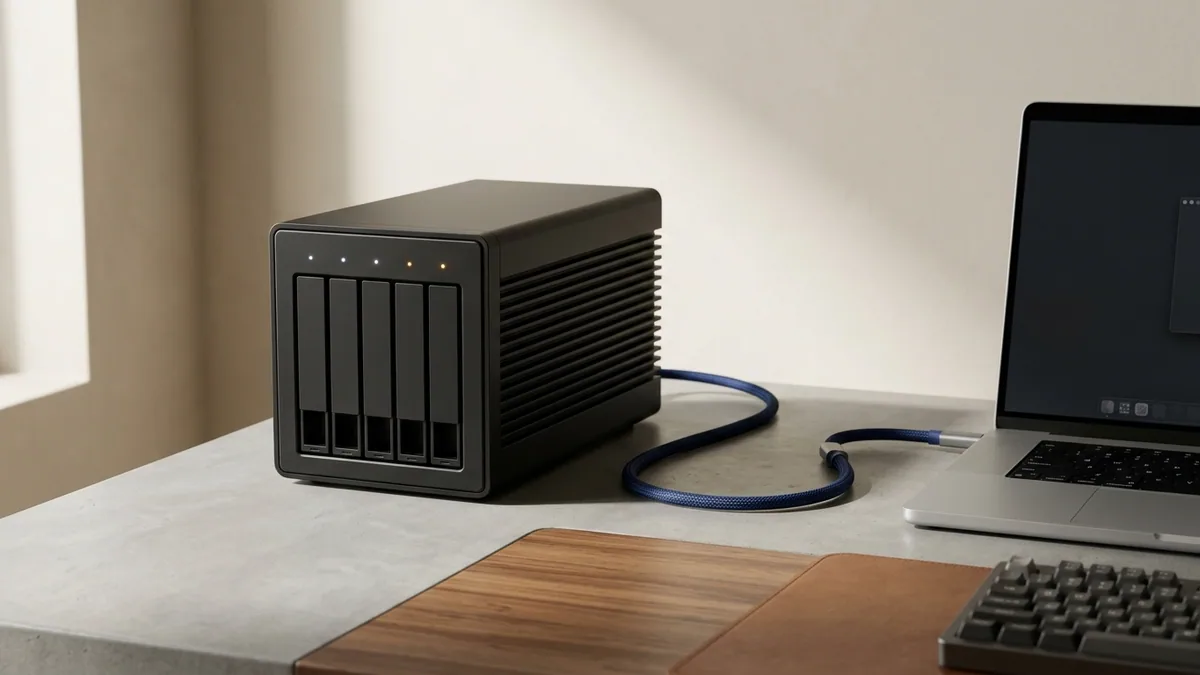
| Bundled Cloud Storage | 1TB private isolated OneDrive vault | None (pair with NAS / Proton Drive / iCloud) | None (local / third-party cloud) |
| Modern Excel (XLOOKUP, VSTACK, LAMBDA) | Full + Python in Excel + Live Stock Data Types | Full local dynamic arrays & LAMBDA included | Full local dynamic arrays & LAMBDA included |
| Included Desktop Applications | Word, Excel, PowerPoint, Outlook, OneNote, Access (PC) | Word, Excel, PowerPoint, Outlook, OneNote, Access | Word, Excel, PowerPoint, Outlook, OneNote |
| Air-Gapped / Offline Longevity | Requires periodic 30-day online license check | 100% offline permanent operation after activation | 100% offline permanent operation + MSA transfer |

The Real 5-Year TCO Math: Retail Microsoft vs. NguyenKey Hybrid Strategy
Numbers tell the story with zero ambiguity. Calculate a strict 60-month cash outflow across three realistic user profiles:
Scenario 1 — Solo Multi-Device Professional (Laptop + Desktop + Tablet + 1TB Sync): Buying Microsoft 365 Personal at US retail ($99.99/yr after recent AI bundle hikes) costs $499.95 over 5 years. Activating an official Microsoft 365 Family seat on NguyenKey (starting from $8.99/yr) totals roughly $45–$75 over 5 full years—delivering 5 concurrent desktop/mobile installations plus 1TB private OneDrive for less than a single year of retail cloud storage alone.
Scenario 2 — Fixed Windows Workstation / Financial Desk (Already Uses Local NAS or Backblaze): Buying retail Office Home & Business 2024 ($249.99) or retail Office Professional Plus ($439.99) sets a steep upfront bill. Deploying Office LTSC 2024 Pro Plus ($17.90 one-time) or Office Professional Plus ($6.99 one-time) on NguyenKey collapses 5-year software cost to $0.12 to $0.30 per month—zero renewals, zero UI shifts breaking complex VBA financial macros, and zero cloud authentication timeouts.
Scenario 3 — Cross-Platform MacBook Pro Consultant (Needs Permanent Account-Bound Ownership): Choosing Office Home & Business 2024 Retail Bind ($24.90 one-time) links permanently to your Microsoft Account via setup.office.com, runs natively on Apple Silicon M1–M4 without Rosetta translation, and transfers cleanly when you upgrade to a newer MacBook three years down the line.
Standalone 1TB–2TB consumer cloud sync plans (Google One, Dropbox, iCloud+) cost $30 to $120 per year retail. If you need 1TB of reliable cross-device document sync alongside desktop Office apps, Microsoft 365 effectively pays for itself through OneDrive storage alone—even before counting Word and Excel.
Adding Visio LTSC 2024 & Microsoft Project Without Breaking Office Click-to-Run
Systems architects, civil engineers, and enterprise PMOs frequently discover an infuriating installer conflict when mixing subscription Microsoft 365 with perpetual Microsoft Visio LTSC 2024 Professional or Microsoft Project Professional: running mismatched MSI vs. Click-to-Run installers or mixing 32-bit and 64-bit Office architectures throws an immediate setup abort.
The clean engineering rule is simple: verify your existing Office bitness first (Word → File → Account → About Word — standardize on 64-bit across all modern systems), then deploy Visio LTSC 2024 and Project using Microsoft’s official Office Deployment Tool (ODT) specifying Channel="PerpetualVL2024" or matching Click-to-Run product IDs (VisioPro2024Volume / ProjectPro2024Volume). Both apps sit seamlessly alongside Microsoft 365 or Office LTSC 2024 with shared ribbon styling and full VSDX/MPP interoperability.

Live 2026 Microsoft 365 & Perpetual Office Pricing on NguyenKey
Review current verified USD starting prices across every major perpetual Office, Microsoft 365, Visio, and Project license inside our Office, Business & Finance and Windows & Microsoft OS catalogs:
| Verified Product on NguyenKey | Fulfillment Format | Retail Reference | NguyenKey Starting USD | Projected 12-Month Savings |
|---|---|---|---|---|
| Microsoft 365 Personal & Family | Family / Team Seat | $19.99 | $8.99 | Save 55% (~$66/yr) |
| Microsoft Office LTSC 2024 Professional Plus Perpetual Key | Official License Key | $54.90 | $17.90 | Save 67% (~$37/yr) |
| Microsoft Office Home & Business 2024 Retail Bind Key (Mac/PC) | Official License Key | $79 | $24.90 | Save 68% (~$54/yr) |
| Microsoft Office Professional Plus | Official License Key | $14.99 | $6.99 | Save 53% (~$8/yr) |
| Microsoft Visio LTSC 2024 Professional Perpetual Key | Official License Key | $49.90 | $16.90 | Save 66% (~$33/yr) |
| Microsoft Project Professional | Official License Key | $34.99 | $14.99 | Save 57% (~$20/yr) |
Data Privacy, Macro Stability & Air-Gapped Compliance Considerations
Industries governed by strict audit trails—accounting firms, quantitative hedge desks, aerospace suppliers, and healthcare clinics—often favor Office LTSC 2024 for reasons far beyond cost savings. Because LTSC receives strictly security patches with zero unsolicited ribbon overhauls or cloud AI sidebar injections, mission-critical Excel VBA workbooks, Power Query ODBC connectors, and COM Add-ins keep executing identically year after year without broken UI hooks.
Conversely, remote professionals who embrace Microsoft 365 Family seats should understand exactly how OneDrive privacy works: Microsoft encrypts data in transit (TLS 1.3) and at rest (AES-256 per-file keys), and isolates every family seat completely from every other user in the group. For ultra-sensitive tax returns, passport scans, or client NDAs, enable OneDrive Personal Vault (hardware 2FA re-verification lock) or mirror sensitive folders into Swiss zero-knowledge storage like Proton Drive or Tresorit from our Cloud Storage catalog.
Role-Based Office Licensing Decision Matrix
Map each workstation or team role to the exact suite that maximizes productivity per USD spent:
| User / Team Role | Best Suite Selection | Device & OS Coverage | Key Deciding Advantage |
|---|---|---|---|
| Remote Multi-Device Executive / Consultant | Microsoft 365 (Official Family Seat) | Up to 5 devices (Windows + Mac + iPad + Phone) | 1TB OneDrive sync + live co-authoring + iPad editing |
| Windows Accounting / VBA Finance Analyst | Office LTSC 2024 Pro Plus Perpetual | 1 Windows 10/11 desktop/laptop | Zero subscription renewals + rock-solid macro stability |
| Apple Silicon MacBook Pro Freelancer | Office Home & Business 2024 Retail Bind | 1 macOS or Windows machine (MSA transferable) | Native ARM64 performance + one-time account-bound ownership |
| Solutions Architect / Civil PMO | Office LTSC 2024 + Visio LTSC 2024 + Project | 1 Windows engineering workstation | Full native VSDX architecture & Gantt scheduling offline |
Before installing Office LTSC 2024 or activating a fresh Microsoft 365 seat on a machine that previously ran an older Office 2019/2021 build, export Outlook .pst archives and custom Word Normal.dotm templates, uninstall legacy versions cleanly (using Microsoft’s License Removal Tool on macOS), reboot, and follow our Microsoft 365 & Office Activation Guide.
Solving the Top 4 Office 2024 & Microsoft 365 Activation Hiccups
Over 95% of Office activation support tickets trace back to residual trial software or cached sign-in tokens rather than the license key itself. Run these four fixes first:
- macOS Word/Excel Stuck in "View Only / Activate to Edit": Quit all Office apps completely, run Microsoft’s official
Microsoft_Office_License_Removal_2.7.pkgutility, restart macOS, and sign back in using the email bound to your Microsoft 365 seat or Office 2024 Retail Bind key. - Windows "Product Key Doesn’t Match Installed Edition": You are entering an Office LTSC 2024 Volume key inside a pre-installed Retail Microsoft 365 trial binary. Uninstall all pre-loaded Microsoft 365 stubs under Installed Apps and install cleanly via our provided Office 2024 Click-to-Run installer.
- OneDrive Still Displaying 5GB Free Quota After M365 Invite: Unlink and re-link the OneDrive sync client (Settings → Account → Unlink this PC) or allow up to 30 minutes for Microsoft’s cloud storage provisioning job to propagate globally.
- Microsoft 365 Family Invite Rejected ("Already in a Family Group"): Navigate to
account.microsoft.com/family, leave any expired family circle cleanly, and re-click your NguyenKey invitation link.
Precision Deployment: Office Deployment Tool (ODT), Custom Installs & Cross-OS Files
Power users deploying Office LTSC 2024 Professional Plus on Windows 11 often dislike standard monolithic setups that install Access, Publisher remnants, and Skype/Teams background updaters alongside Word and Excel. Microsoft’s official Office Deployment Tool (ODT) solves this elegantly in under two minutes: author a concise configuration.xml listing <ExcludeApp ID="Lync" />, <ExcludeApp ID="Groove" />, and <ExcludeApp ID="Bing" />, then run setup.exe /configure configuration.xml from an elevated prompt. The resulting installation boots Excel in under 0.6 seconds with zero background sync clutter.
When collaborating across mixed macOS (Office Home & Business 2024 Retail or Microsoft 365) and Windows finance teams, eliminate cross-platform formatting drift by embedding cloud-safe fonts (Aptos, Calibri, Inter, Arial) inside PowerPoint templates via File → Options → Save → Embed Fonts, and avoid Windows-only ActiveX controls inside shared Excel dashboards. Stick to native XLOOKUP, Power Query, and PivotTable slicers so every board deck and three-statement forecast renders identically on a MacBook Pro M4, an iPad Pro, and a Windows 11 ThinkPad.
Finally, keep your license lifecycle stress-free by recording your NguyenKey NGK- order number alongside the exact Microsoft Account email bound at setup.office.com. If you ever replace your laptop or move between annual Microsoft 365 renewals and perpetual Office 2024 keys, our 24/7 support team at support@nguyenkey.net ensures zero editing interruption across all your devices.
Real-World Hybrid Office Rollout Example (15-Seat Advisory Firm): Consider a 15-person legal and financial advisory practice replacing aging Office 2019 installations. Rather than forcing all 15 employees onto $264/year retail Microsoft 365 Business subscriptions ($19,800 over five years), management audits actual mobility needs first. Seven client-facing partners and traveling consultants who present from iPads, MacBooks, and phones receive official Microsoft 365 Family seats with 1TB OneDrive sync and live co-authoring. Eight in-office analysts and paralegals who work strictly from dual-monitor Windows 11 desktops backed by a local Synology NAS receive perpetual Office LTSC 2024 Professional Plus keys—plus two Visio LTSC 2024 keys for process flowcharts. Across five full years, the firm cuts total Office licensing outlays by more than 85% while giving every single employee the exact calculation engine and offline reliability their daily caseload requires.
How NguyenKey Verifies, Delivers & Protects Office, Business & Finance Licenses
Every product benchmarked across this Windows, Office & Infrastructure handbook—ranging from $6.99 to $24.90 across Family / Team Seat, Official License Key fulfillment tiers—passes through NguyenKey’s automated quality and delivery pipeline before reaching your inbox. At checkout, transparent USD totals settle cleanly via automated on-chain USDT (BEP20) verification in 30 to 60 seconds with zero foreign-currency bank markups, generating a traceable NGK- order code linked directly to your activation instructions and warranty ledger.
Standalone keys and private accounts dispatch instantaneously upon block confirmation, while direct personal email upgrades and official family invitations ship promptly without ever asking for your primary Google, Microsoft, or Apple password. Every active order carries full-term replacement coverage across 100% of its paid duration backed around the clock by our global technical desk at support@nguyenkey.net and our self-service Activation Knowledge Base.
Continue Exploring Windows, Office & Infrastructure Guides on NguyenKey
Every technical recommendation in this guide connects directly to live, verified licenses inside our Office, Business & Finance catalog and our step-by-step Activation Knowledge Base. If you are building a complete multi-tool stack across your workstation or team, explore the companion handbooks in this topic cluster:
- Windows 11, Microsoft 365 & Enterprise IT Infrastructure: Complete 2026 Licensing Architecture (Topic Pillar Handbook) — A full-stack infrastructure licensing handbook unifying desktop Windows 11 builds, hybrid Office/M365 estates, Windows Server 2025 clusters, and DevOps compute.
- Windows 11 Pro Retail vs. OEM vs. LTSC 2024: Motherboard Binding, Activation & Hardware Transfer Rules — An engineer’s field manual comparing Windows 11 Pro Retail, OEM, Pro for Workstations, and IoT Enterprise LTSC 2024 across hardware binding, servicing, and clean deployment.
- Windows Server 2025, Proxmox VE & VMware vSphere: Bare-Metal & Hybrid Cloud Licensing Guide — Architect resilient 3-node virtualization clusters and homelabs by comparing Windows Server 2025 Datacenter, SQL Server 2022, Proxmox VE Enterprise, and VMware vSphere.
- Remote Engineering & Finance Suites: JetBrains All Products, Cloud NVMe VPS & Trading Terminals — How distributed software startups, DevOps leads, and quantitative traders pair JetBrains IDEs, zero-bloat EU/US NVMe VPS nodes, and market intelligence suites.
Ready to deploy? Every verified license discussed in this handbook ships automatically within 30–60 seconds via NguyenKey with transparent USD pricing and full-term replacement warranty coverage at support@nguyenkey.net:
- Microsoft 365 Personal & Family — starting from $8.99 (Family / Team Seat)
- Microsoft Office LTSC 2024 Professional Plus Perpetual Key — starting from $17.90 (Official License Key)
- Microsoft Office Home & Business 2024 Retail Bind Key (Mac/PC) — starting from $24.90 (Official License Key)
- Microsoft Office Professional Plus — starting from $6.99 (Official License Key)
- Microsoft Visio LTSC 2024 Professional Perpetual Key — starting from $16.90 (Official License Key)
- Microsoft Project Professional — starting from $14.99 (Official License Key)