Even a flagship 16-core Ryzen or Intel Core Ultra PC running clean Windows 11 Pro feels unnecessarily cluttered out of the box. Chrome’s Manifest V3 restrictions gutted traditional browser ad-blockers, single-threaded browser downloads crawl at 8 MB/s on a 1 Gbps fiber connection and restart from zero if Wi-Fi blips at 94%, Windows Defender Firewall hides outbound per-app telemetry inside opaque legacy menus, and native File Explorer lacks reliable byte-level directory diffing.
Fortunately, optimizing a Windows 11 workstation permanently does NOT require bloated "PC cleaner" subscription scams. Five battle-tested, ultra-lightweight perpetual utilities—Internet Download Manager (IDM) Lifetime, AdGuard Premium, GlassWire Elite, Beyond Compare 5 Pro, and automated encrypted backup (Backblaze Unlimited or Arq 7 Backup)—deliver compounding daily speed and network control for years at a tiny one-time NguyenKey investment.
The Four Perpetual Pillars of a High-Velocity Windows 11 Workstation
Every utility on this list has earned a 10-to-20-year reputation among systems administrators, developers, and video editors because it solves one stubborn Windows deficiency natively in C/C++ with minimal RAM overhead:
1. Internet Download Manager (IDM) Lifetime (Multi-Segment Transfer Acceleration): Browsers open one or two TCP connections per download—capping speeds dramatically on overseas mirrors, 15GB ISO images, Hugging Face AI model weights, and 4K cloud client deliveries. IDM dynamically splits HTTP/HTTPS streams across up to 16–32 concurrent segments, saturating 1 Gbps fiber links up to 5x faster, automatically resuming interrupted downloads cleanly even after sleep or Wi-Fi handoffs, and organizing completed pulls cleanly into typed folders with browser integration across Chrome, Edge, Firefox, and Brave.
2. AdGuard Premium (OS-Level Filtering Beyond Manifest V3): Because Chrome Manifest V3 limits browser extension filter rules and dynamic script blocking, installing AdGuard at the Windows WFP network-driver layer changes the game completely. AdGuard strips pre-roll web ads, floating GDPR cookie banners, tracking pixels, phishing redirects, and intrusive in-app banners across EVERY browser AND desktop Windows/Electron app simultaneously—before bloated third-party ad JavaScript even parses in RAM, visibly cutting tab memory draw and laptop battery drain.
3. GlassWire Elite (Visual Firewall & Behavioral Network Telemetry): GlassWire sits gracefully atop Windows’ native firewall to chart live per-app network traffic over time, flag "First-Time Network Activity" immediately when a newly installed app or hidden updater phones home, detect suspicious Evil Twin Wi-Fi attacks on hotel networks, alert if a trusted system binary’s cryptographic hash changes unexpectedly, and let you block chatty telemetry processes in one click.
4. Beyond Compare 5 Pro (Surgical 3-Way File, Folder & Binary Diffing): Unmatched by any built-in OS tool or free diff viewer. Compare two massive 500GB client RAID drives, reconcile 3-way Git code merges, verify CRC/SHA checksums byte-for-byte across local SSDs and remote SFTP/S3/WebDAV mounts, and inspect Excel/CSV table diffs visually in milliseconds.
| Windows Utility | OS Bottleneck Solved | License Model on NguyenKey | Multi-Device / OS Reach |
|---|---|---|---|
| IDM Lifetime | Slow, fragile single-thread browser downloads | Perpetual Lifetime Retail Key | Windows 11/10 (Chrome, Edge, Firefox, Brave) |
| AdGuard Premium | Manifest V3 ad-blocker limits & in-app trackers | Perpetual / Family Retail Key | Windows, macOS, Android & iOS (up to 9 devices) |
| GlassWire Elite | Opaque Windows Firewall & hidden telemetry | Verified Retail License Key | Windows 11/10 (Multi-PC Elite tiers) |
| Beyond Compare 5 Pro | Unreliable folder copies & complex code/data diffs | Perpetual Pro Commercial Key | Cross-platform Windows, macOS & Linux |
| Backblaze / Arq 7 Backup | Ransomware & NVMe drive failure data loss | Annual Unlimited / Perpetual Arq Key | Continuous encrypted off-site versioning |

Zero-Conflict Configuration: Running IDM, AdGuard & GlassWire Harmoniously
Installing multiple network-aware utilities on Windows 11 works smoothly once you align three simple configuration knobs so filters never duplicate work or stall local development ports:
- Tuning IDM Connections for Fiber vs. Shared Wi-Fi: Open IDM → Downloads → Options → Connection and set Default Max Connection Number to 8 or 16 (setting 32 on strict rate-limited servers occasionally triggers HTTP 429; 8–16 delivers peak speed universally). Enable the official IDM Integration Module inside browser extensions and whitelist trusted development localhost ports (
127.0.0.1) from automatic capture. - Configuring AdGuard Stealth Mode & DNS Cleanly: Inside AdGuard Premium, enable AdGuard Base, Tracking Protection, Annoyances (wiping cookie consent popups), and Stealth Mode (stripping UTM tracking query parameters cleanly). Under DNS Protection, bind your custom NextDNS Pro DoH endpoint or AdGuard Encrypted DNS—and disable HTTPS Filtering strictly for local development servers (
localhost) so self-signed dev certificates stay untouched. - Setting GlassWire Elite Ask-to-Connect Mode: Run GlassWire Elite in Click to Block mode during normal weeks (alerting quietly on every brand-new executable’s initial internet handshake), then flip to Ask to Connect whenever working on untrusted airport Wi-Fi or testing unfamiliar third-party binaries.
Pirated IDM patches are among the top 3 malware vectors distributing RedLine and Lumma infostealers on Windows PCs—silently harvesting browser cookies and crypto wallets the minute you execute the "patcher." A genuine perpetual IDM Lifetime key on NguyenKey costs $4.99—protecting your entire Windows workstation cleanly forever.

Completing the Windows Safety Net: Backblaze Unlimited vs. Arq 7 + S3 Storage
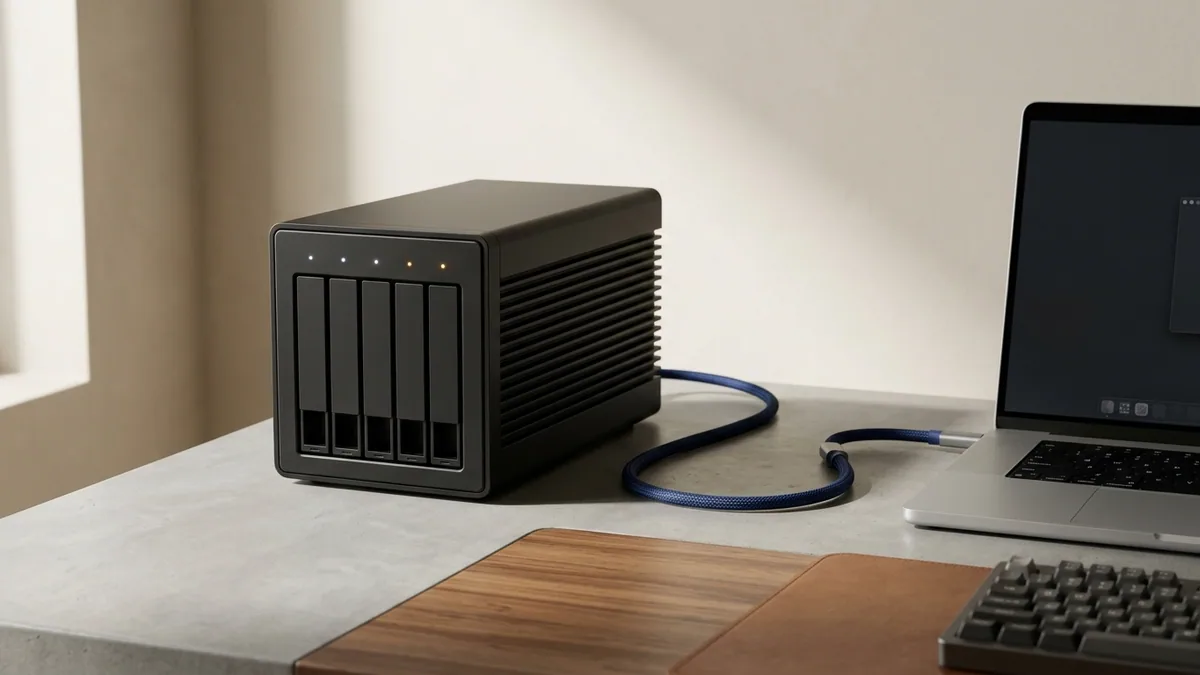
Performance and network hygiene matter little if a sudden PCIe Gen5 SSD controller failure wipes three years of tax records, Lightroom catalogs, or code repositories overnight. Completing your Windows workstation with automated off-site backup takes five minutes using either of two rock-solid strategies:
Option A — Set-and-Forget Unlimited Coverage (Backblaze Unlimited Computer Backup): Continuously encrypts and backs up your entire Windows C: drive PLUS unlimited locally attached USB/Thunderbolt archive drives (6TB, 12TB, 20TB+) automatically in the background with up to 1-year file version rollback. Enable a Private Encryption Key (archived safely in 1Password/Bitwarden) for zero-knowledge privacy.
Option B — Precision Encrypted Multi-Destination Control (Arq 7 Backup + Wasabi / Backblaze B2): Ideal for technical users who want granular folder scheduling, deduplicated client-side AES-256 archives, immutable S3 Object Lock against ransomware, and instant restores straight into any S3 bucket or local Synology NAS—owned via a perpetual Arq 7 license key.
Live 2026 Windows Power Utilities & Backup Pricing on NguyenKey
Review current verified USD starting prices across our flagship Windows optimization, network control, file-diffing, and automated backup licenses below:
| Verified Product on NguyenKey | Fulfillment Format | Retail Reference | NguyenKey Starting USD | Projected 12-Month Savings |
|---|---|---|---|---|
| Internet Download Manager (IDM) | Official License Key | $9.99 | $4.99 | Save 50% (~$5/yr) |
| AdGuard Premium | Official License Key | $12.99 | $5.99 | Save 54% (~$7/yr) |
| GlassWire Pro & Elite Visual Firewall & Network Monitor Key | Official License Key | $39.99 | $12.90 | Save 68% (~$27/yr) |
| Beyond Compare 5 Pro Edition | Official License Key | $69 | $19.99 | Save 71% (~$49/yr) |
| Backblaze Unlimited Computer Backup | Official License Key | $99 | $44.99 | Save 55% (~$54/yr) |
| Arq 7 Backup License Key + Arq Premium Cloud Bundle | Official License Key | $49.99 | $17.90 | Save 64% (~$32/yr) |
Power Workflows in Beyond Compare 5 Pro: Verifying NAS Mirrors & Code Releases
Once you experience Beyond Compare 5 Pro on Windows 11, relying on Windows File Explorer drag-and-drop for multi-terabyte archive moves feels reckless. Beyond Compare 5 executes exact binary CRC/content comparison between source SSDs and destination Synology/TrueNAS SMB shares—highlighting silent bit-rot, truncated video frames, or stray OS metadata files instantly. Software developers also integrate Beyond Compare 5 natively as their global git difftool and git mergetool (git config --global merge.tool bc), making complex 3-way branch conflict resolution visual, surgical, and effortless across Windows, macOS, and Linux.
| Windows User Persona | Essential Utility Trio | Backup & Security Layer | Total Perpetual ROI Horizon |
|---|---|---|---|
| Software Developer & DevOps Engineer | AdGuard Premium + Beyond Compare 5 + GlassWire | ESET Home Security + Arq 7 + Wasabi S3 | 5–10 years of daily utility with $0 monthly fees |
| Heavy Media & Dataset Downloader | IDM Lifetime + AdGuard Premium + Beyond Compare 5 | Backblaze Unlimited + Bitdefender | 5x faster pulls + byte-verified multi-TB archives |
| Clean Family & Home Office PC | AdGuard Family (9 devices) + IDM Lifetime | Bitdefender Total Security + Backblaze | Zero invasive browser popups across PCs & phones |
Running these four lightweight C++ utilities on a fresh Windows 11 Pro Retail or bloat-free Windows 11 IoT Enterprise LTSC 2024 installation (from our Windows & Microsoft OS catalog) produces one of the fastest, cleanest desktop computing experiences possible.
Activation, Hardware Migration & Troubleshooting Checklist
Keep your perpetual Windows utility suite running effortlessly through future OS upgrades and new PC builds:
- IDM Showing "Fake Serial" Only When Leftover Cracked Hosts Entries Remain: On refurbished PCs, always inspect
C:\Windows\System32\drivers\etc\hoststo verify zero old crack entries blockinternetdownloadmanager.combefore registering your genuine NguyenKey IDM Lifetime serial cleanly. - AdGuard HTTPS Filtering Certificate Warning in Firefox: Firefox maintains its own independent certificate store; toggle Use Windows Certificate Store inside AdGuard Settings → Network → HTTPS Filtering (or restart Firefox once) so HTTPS ad filtering activates seamlessly with green TLS locks.
- GlassWire Elite Firewall Not Blocking an App After Windows Feature Update: Confirm the native Windows Defender Firewall service is Running (GlassWire manages Windows Firewall API cleanly rather than replacing it) and re-toggle GlassWire Firewall ON.
- Instant 30-Second Delivery & Full-Term NguyenKey Warranty: Every perpetual utility key ships automatically after checkout with clear activation tips in our Activation Knowledge Base and 24/7 engineering desk help at support@nguyenkey.net.
Worked Windows 11 Setup Sequence: From Bare OS Install to Silent High-Speed Workstation
When assembling a brand-new Ryzen 9 or Intel Core Ultra desktop—or wiping an aging factory laptop clean with Windows 11 Pro Retail—installing your core perpetual utilities in an intentional sequence prevents driver clutter and guarantees clean baseline telemetry from hour one.
Step 1 (Network Shield & Ad Removal First): Before browsing the open web to pull GPU drivers, SDKs, or game launchers, install AdGuard Premium and GlassWire Elite. AdGuard immediately neutralizes malicious sponsored "download" banners that frequently impersonate OBS, Blender, or Rufus in search results, while GlassWire builds a crystal-clear baseline inventory of every legitimate OS and motherboard driver reaching the internet.
Step 2 (High-Speed Acquisition & Storage Verification): Install IDM Lifetime and link the browser integration module before pulling multi-gigabyte Visual Studio workloads, CUDA toolkits, Hugging Face GGUF weights, or 4K camera archives—cutting initial machine provisioning wait times by 60% to 75%. When copying terabytes of client projects off an outgoing SSD onto your new NVMe drive, execute the migration inside Beyond Compare 5 Pro with binary verification enabled so you possess 100% mathematical certainty that zero files corrupted silently mid-transfer.
Step 3 (Lock In Automated Off-Site Continuity): Finish setup by activating Backblaze Unlimited (with Private Encryption Key) or Arq 7 Backup pointed at Wasabi S3. Together, these perpetual utilities turn Windows 11 into an ultra-quiet, ad-free, observable, and disaster-proof workstation built to run reliably for five years or longer without recurring software bloat.
What to Skip: Why Genuine Native Utilities Beat Registry Cleaner Subscriptions
Never waste money or risk OS instability on flashy "driver booster" or "registry cleaner" pop-up subscriptions—modern Windows 11 manages registry hives natively, and third-party registry cleaners regularly break Windows Update and audio drivers. Investing strictly in time-tested engineering utilities like IDM, AdGuard, GlassWire, and Beyond Compare 5 delivers genuine measurable speed, network visibility, and lifetime ownership on NguyenKey.
Keeping Utility Configurations Backed Up Across Fresh Windows Installs: Once you fine-tune custom AdGuard Premium user filter lists, Beyond Compare 5 Pro saved SFTP/NAS folder sync sessions, and IDM download category rules, export each app’s lightweight settings file into your encrypted Proton Drive or OneDrive folder. Rebuilding a fresh Windows 11 workstation two years down the road restores your entire power-user environment in less than three minutes.
How NguyenKey Verifies, Delivers & Protects Mac, Windows & Dev Utilities Licenses
Every product benchmarked across this Zero-Knowledge Privacy & Security handbook—ranging from $4.99 to $44.99 across Official License Key fulfillment tiers—passes through NguyenKey’s automated quality and delivery pipeline before reaching your inbox. At checkout, transparent USD totals settle cleanly via automated on-chain USDT (BEP20) verification in 30 to 60 seconds with zero foreign-currency bank markups, generating a traceable NGK- order code linked directly to your activation instructions and warranty ledger.
Standalone keys and private accounts dispatch instantaneously upon block confirmation, while direct personal email upgrades and official family invitations ship promptly without ever asking for your primary Google, Microsoft, or Apple password. Every active order carries full-term replacement coverage across 100% of its paid duration backed around the clock by our global technical desk at support@nguyenkey.net and our self-service Activation Knowledge Base.
Continue Exploring Zero-Knowledge Privacy & Security Guides on NguyenKey
Every technical recommendation in this guide connects directly to live, verified licenses inside our Mac, Windows & Dev Utilities catalog and our step-by-step Activation Knowledge Base. If you are building a complete multi-tool stack across your workstation or team, explore the companion handbooks in this topic cluster:
- Zero-Knowledge Privacy, Endpoint Antivirus & Power Utilities: The 2026 Hardening Handbook (Topic Pillar Handbook) — A layered defense-in-depth blueprint combining audited zero-log VPNs, encrypted DNS, behavioral EDR/antivirus, and native macOS/Windows system utilities.
- Audited Privacy Stack: Proton Unlimited, Mullvad, 1Password, Bitwarden & NextDNS Architecture — An in-depth cryptographic and jurisdictional audit comparing Proton Unlimited, Mullvad VPN, Tailscale Mesh, 1Password, Bitwarden, and NextDNS Pro.
- Endpoint Security & Ransomware Defense: Kaspersky Plus, Bitdefender, Norton & SentinelOne Compared — Compare independent AV-TEST/AV-Comparatives detection scores, CPU build overhead, ransomware rollback, and when to step up to CrowdStrike or SentinelOne EDR.
- Apple Silicon Power-User Toolkit: Setapp, Raycast Pro, Little Snitch 6 & TablePlus Licensing — Transform any M1–M4 MacBook Pro or Mac Studio into a keyboard-first developer powerhouse using Setapp, Raycast Pro AI, Little Snitch 6, TablePlus, and OrbStack Pro.
Ready to deploy? Every verified license discussed in this handbook ships automatically within 30–60 seconds via NguyenKey with transparent USD pricing and full-term replacement warranty coverage at support@nguyenkey.net:
- Internet Download Manager (IDM) — starting from $4.99 (Official License Key)
- AdGuard Premium — starting from $5.99 (Official License Key)
- GlassWire Pro & Elite Visual Firewall & Network Monitor Key — starting from $12.90 (Official License Key)
- Beyond Compare 5 Pro Edition — starting from $19.99 (Official License Key)
- Backblaze Unlimited Computer Backup — starting from $44.99 (Official License Key)
- Arq 7 Backup License Key + Arq Premium Cloud Bundle — starting from $17.90 (Official License Key)