Handing ten years of family photographs, tax returns, corporate cap tables, medical scans, and private source archives over to an ad-funded consumer cloud without understanding its encryption architecture is an unnecessary gamble. Standard cloud drives encrypt files in transit and on vendor disks—yet hold the decryption keys themselves, allowing automated content scanning, sudden AI account suspension false positives, and sweeping legal subpoenas without your knowledge.
This 2026 encrypted storage and automated backup benchmark compares six flagship platforms inside NguyenKey’s Cloud Storage & Backup catalog—Proton Drive, Tresorit, MEGA Pro, pCloud Premium, Apple iCloud+, and Backblaze Unlimited Computer Backup—examining true end-to-end encryption scope, sync throughput, Apple ADP vs. Swiss sovereignty, and real USD TCO.
Zero-Knowledge Architecture & Jurisdiction Benchmarked Across 6 Cloud Leaders
Not all "encrypted cloud storage" offers identical mathematical privacy. Always verify TWO specifics: (1) whether encryption keys are derived strictly on your local device (Client-Side Zero-Knowledge E2EE), and (2) whether filenames and folder metadata are also encrypted rather than left readable on provider servers.
Proton Drive Plus / Professional (Swiss Open-Source Zero-Knowledge): Uses audited OpenPGP client-side cryptography encrypting BOTH file contents AND filenames/directory metadata end-to-end under Swiss Federal Data Protection law, with native Windows/macOS/iOS/Android photo auto-backup, encrypted Proton Docs collaborative editing, and seamless bundling inside Proton Unlimited.
Tresorit (Enterprise-Grade Swiss Compliance Vault): Built specifically for lawyers, doctors, accountants, and financial consultants demanding HIPAA, GDPR, ISO 27001, and zero-knowledge granular DRM sharing links (revoking download access, watermarking PDFs, and expiring links with password locks).
MEGA Pro (High-Throughput Encrypted Transfer & Large Quotas): Open-source client-side AES-128/256 encryption with some of the fastest multi-connection transfer speeds in the consumer cloud industry—making MEGA Pro a favorite for sharing large multi-gigabyte video edits, ISO images, and media archives securely across borders.
pCloud Premium & Sync.com: pCloud shines with its virtual mounted pCloud Drive (streaming 2TB of media locally without eating internal MacBook SSD space) plus Swiss datacenter residency and optional pCloud Crypto zero-knowledge folder; Sync.com delivers clean Canadian zero-knowledge workspaces.
Apple iCloud+ (With Advanced Data Protection Enabled): Unbeatable for Apple households backing up iPhones, iPads, Macs, and Live Photos—and toggling ON Apple Advanced Data Protection (ADP) upgrades iCloud Drive, Photos, Notes, and Device Backups to true end-to-end encryption so even Apple cannot decrypt your archives! Plus iCloud+ bundles Hide My Email, iCloud Private Relay, and HomeKit Secure Video.
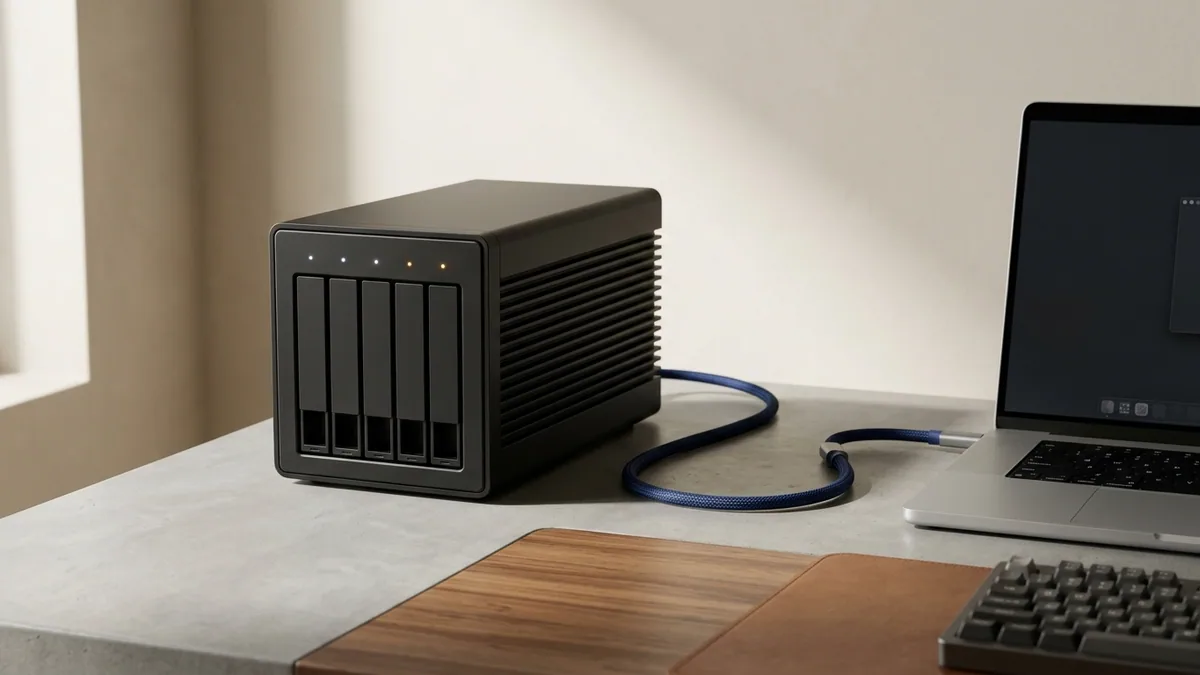
Backblaze Unlimited Computer Backup (True Automated Disaster Recovery): Unlike sync drives capped at 1TB–2TB, Backblaze backs up unlimited terabytes across your entire PC or Mac PLUS all attached external USB/Thunderbolt hard drives continuously in the background, with 1-year version rollback and optional zero-knowledge Private Encryption Key.
| Cloud Platform | True Client-Side E2EE? | Jurisdiction | Primary Best-Fit Job | Virtual Drive / Unlimited Backup |
|---|---|---|---|---|
| Proton Drive | Yes — files + filenames (OpenPGP) | Switzerland | Sovereign daily vault, docs & private photos | Native FileProvider on-demand sync |
| Tresorit | Yes — full audited E2EE + DRM links | Switzerland | Legal, medical, accounting & client file rooms | Virtual Tresorit Drive + compliance audit logs |
| MEGA Pro | Yes — open-source client-side E2EE | New Zealand / EU nodes | Fast multi-GB encrypted transfers & large archives | High-speed MEGAsync + massive transfer quota |
| Apple iCloud+ | Yes (when Advanced Data Protection ON) | US / Global Apple | Seamless iPhone/Mac photos, backups & Private Relay | Native macOS/iOS optimization; 200GB–2TB+ Family |
| pCloud Premium | Optional zero-knowledge Crypto folder | Switzerland / US choice | Mounted media streaming & long-term personal sync | Virtual pCloud Drive mounts with 0 SSD drain |
| Backblaze Unlimited | Yes (with Private Encryption Key) | US / EU datacenters | Set-and-forget unlimited PC/Mac + external HDD backup | Truly unlimited internal + attached drive terabytes |

The Two-Cloud Architecture: Separating Convenience Sync from Disaster Recovery
Trying to make one single cloud subscription handle iPhone photo sync, confidential legal contracts, 12TB of external Thunderbolt photo/video archives, and ransomware-proof bare-metal disaster recovery always breaks down. Instead, combining TWO specialized services on NguyenKey achieves bulletproof 3-2-1 resilience for less than retail pricing of one:
Pattern 1 — Apple Creative / Executive Household: Run Apple iCloud+ (2TB Family) with Advanced Data Protection ON for effortless iPhone/iPad/Mac Photos, Notes, and Messages continuity, paired with Backblaze Unlimited Computer Backup protecting your Mac Studio and 16TB Thunderbolt photo RAID automatically—plus Proton Drive strictly for tax, passport, and legal PDF vaults.
Pattern 2 — Cross-Platform Windows/Linux/Android Engineer: Anchor active documents and sensitive IP inside Proton Drive or Tresorit, use MEGA Pro or pCloud Premium for multi-gigabyte cross-OS sharing, and schedule deduplicated AES-256 workstation snapshots using Arq 7 Backup piped straight to immutable Wasabi S3 or Backblaze B2.
By default, Apple holds recovery keys to standard iCloud Drive and Photos backups. After accepting your NguyenKey iCloud+ Family invite, open iOS/macOS Settings → Apple ID → iCloud → Advanced Data Protection, record your 28-character Recovery Key offline, and flip ADP ON for true zero-knowledge end-to-end encryption across Apple’s entire cloud.

Live 2026 Encrypted Cloud & Backup Pricing on NguyenKey
Compare verified NguyenKey starting USD prices against direct domestic retail plans across our Cloud Storage & Backup catalog below:
| Verified Product on NguyenKey | Fulfillment Format | Retail Reference | NguyenKey Starting USD | Projected 12-Month Savings |
|---|---|---|---|---|
| Proton Drive Plus & Professional Swiss Encrypted Cloud (1TB–3TB) | Dedicated Pro Account | $69 | $24.90 | Save 64% (~$265/yr) |
| Tresorit Swiss Zero-Knowledge Cloud — Direct Account Upgrade | Direct Personal Upgrade | $119 | $39.99 | Save 66% (~$474/yr) |
| MEGA Pro Lite / Pro I | Direct Personal Upgrade | $19.99 | $8.99 | Save 55% (~$66/yr) |
| Apple iCloud+ | Family / Team Seat | $7.99 | $3.49 | Save 56% (~$27/yr) |
| Backblaze Unlimited Computer Backup | Official License Key | $99 | $44.99 | Save 55% (~$54/yr) |
| pCloud Premium Swiss Cloud Storage — Direct Account Upgrade | Direct Personal Upgrade | $19.99 | $7.99 | Save 60% (~$72/yr) |
Operational Realities: Backblaze 30-Day Drive Rules, Rclone & Speed Optimization
Every backup platform hides subtle operational rules you must respect so disaster recovery works cleanly on the one day an SSD dies:
- Respect Backblaze’s External Drive Check-In Window: Standard Backblaze Unlimited expects attached external USB/Thunderbolt archive drives to connect at least once every 30 days (upgrading to 1-Year Version History extends offline drive grace periods dramatically—ideal for seasonal photo/video archive disks).
- Never Rely on Default Single-Thread Seeding Speeds: During your first 4TB backup to Backblaze or MEGA Pro, bump concurrent upload threads up to 16–30 inside Settings → Performance and disable laptop auto-sleep overnight so initial seeding completes in 48 hours instead of three weeks.
- Mount Encrypted Cloud Volumes Cleanly Without Wasting Laptop SSD Space: Pair pCloud, MEGA, S3 buckets, or SFTP servers with Mountain Duck 5 Pro (or
rclone mount) to browse 10TB archives straight in macOS Finder or Windows Explorer with on-demand smart caching. - Protect Your Recovery Keys Religiously: Print and laminate your Proton 12-word recovery phrase, MEGA Recovery Key, Apple ADP 28-character key, and Backblaze Private Encryption Key—zero-knowledge means NO support engineer on earth can decrypt locked files without it.

Cloud & Backup Decision Matrix by Storage Size & Privacy Requirement
Pick the exact combination tailored to your terabyte volume and operating systems:
| Storage Scenario | Primary Encrypted Vault / Sync | Disaster Recovery Layer | Key Advantage |
|---|---|---|---|
| Apple Household (500GB–2TB Photos) | Apple iCloud+ (ADP Enabled) | Backblaze Unlimited (Mac + External HDDs) | Native iOS UX + unlimited Mac/RAID backup |
| Swiss Zero-Knowledge Legal / Founder | Proton Drive or Tresorit (1TB–3TB) | Arq 7 + Wasabi S3 (Object Lock) | Maximum Swiss legal + cryptographic protection |
| Heavy Media & Large File Sharing | MEGA Pro or pCloud Premium (Swiss) | Backblaze Unlimited + Local Thunderbolt RAID | Blazing transfer speed + 0 SSD virtual mounting |
| Budget-Conscious EU Privacy User | Koofr EU (1TB) or Sync.com Pro Solo | IDrive Personal / Backblaze B2 | Clean European/Canadian privacy at low annual TCO |
If you also need encrypted Swiss email, an audited WireGuard VPN, and password aliases alongside encrypted cloud storage, compare standalone Proton Drive Professional (1TB–3TB) against the all-in-one Proton Unlimited Suite inside our VPN & Privacy catalog.
Quota Activation, Virtual Drive Permissions & Troubleshooting Checklist
Complete smooth zero-downtime cloud upgrades with these four proven activation checks:
- Apple iCloud+ Storage Still Showing 5GB After Family Invite: On iPhone or Mac, navigate to Settings → Apple ID → Family → Subscriptions → iCloud+ and tap "Use Family Storage"—existing iCloud Photos and backups roll straight onto the shared pool with zero re-uploading.
- macOS Virtual Drive Kernel Approval (pCloud / Mountain Duck / Tresorit): On Apple Silicon Macs, approve Apple FileProvider / macFUSE extensions once under System Settings → Privacy & Security, then relaunch the cloud client cleanly.
- Zero File Loss When Upgrading Direct Personal Cloud Accounts: Direct storage upgrades on MEGA Pro, pCloud Premium, Tresorit, and Sync.com expand quota seamlessly in place while preserving every folder path and shared download link.
- 24/7 Cloud Onboarding & Warranty Support: Visit our Activation Knowledge Base or contact support@nguyenkey.net with your
NGK-order code for full-term replacement coverage.
Real-World Recovery Drills: Surviving Laptop Theft, SSD Failure & Ransomware
The true measure of an encrypted cloud storage and backup strategy is not upload speed—it is how calmly you recover at 2:00 AM when disaster strikes. Walk through three real-world emergency scenarios to verify your own setup has zero blind spots:
Scenario 1 — Stolen Laptop on International Travel: Because FileVault/BitLocker encrypts your physical NVMe drive at rest, the thief gains zero plaintext files. On a replacement laptop, you sign into 1Password, restore sensitive passports, contracts, and active project folders immediately from Proton Drive or Tresorit, pull photos seamlessly from ADP-encrypted Apple iCloud+, and order a shipped encrypted USB restore drive (or fast multi-thread zip download) from Backblaze Unlimited for multi-terabyte media libraries—back to full billable productivity within hours.
Scenario 2 — Sudden Ransomware Encryption or Accidental Recursive Delete: Standard synced folders immediately replicate encrypted `.locked` files across devices. With Backblaze Unlimited (1-Year Version History) or Arq 7 targeting S3 Object-Locked Wasabi, you simply dial the timestamp slider back ten minutes prior to the incident and restore 100% clean unencrypted directories without paying a single cent of ransom.
Scenario 3 — Migrating Off a Legacy Cloud Provider Without Bandwidth Lock-In: Pairing MEGA Pro or pCloud Premium with open-source rclone or Mountain Duck 5 Pro lets you execute server-to-server encrypted migrations cleanly in the background—never trapping ten years of personal memories inside a single vendor’s proprietary walled garden.
Household vs. Solo Cloud Storage Budgeting: Getting 5TB+ Resilience for Less
At retail list pricing, stacking a 2TB Swiss zero-knowledge vault ($120–$144/yr), 2TB iCloud+ ($120/yr), and Backblaze Unlimited ($99/yr) climbs past $360/year per person. Provisioning that exact triple-layer architecture through NguyenKey’s Cloud Storage & Backup catalog trims annual storage expenditure by 55% to 72% while delivering Swiss legal sovereignty, effortless Apple photo continuity, and truly unlimited workstation disaster recovery under full-term replacement coverage.
Cross-Device Photo & Document Hygiene Before Your First Cloud Upload: Spend thirty minutes before seeding a fresh 2TB Proton Drive, MEGA Pro, or iCloud+ vault pruning duplicate raw burst shots, abandoned screen recordings, and multi-gigabyte OS installer ISOs. Organizing root folders cleanly by year and functional domain (01_LEGAL_TAX, 02_FINANCE, 03_PROJECTS, 04_MEDIA_ARCHIVE) speeds up encrypted indexing across Windows, macOS, and mobile clients while ensuring emergency document lookups take five seconds from anywhere on earth.
How NguyenKey Verifies, Delivers & Protects Cloud Storage & Backup Licenses
Every product benchmarked across this Technical Learning & Cloud Storage handbook—ranging from $3.49 to $44.99 across Dedicated Pro Account, Direct Personal Upgrade, Family / Team Seat, Official License Key fulfillment tiers—passes through NguyenKey’s automated quality and delivery pipeline before reaching your inbox. At checkout, transparent USD totals settle cleanly via automated on-chain USDT (BEP20) verification in 30 to 60 seconds with zero foreign-currency bank markups, generating a traceable NGK- order code linked directly to your activation instructions and warranty ledger.
Standalone keys and private accounts dispatch instantaneously upon block confirmation, while direct personal email upgrades and official family invitations ship promptly without ever asking for your primary Google, Microsoft, or Apple password. Every active order carries full-term replacement coverage across 100% of its paid duration backed around the clock by our global technical desk at support@nguyenkey.net and our self-service Activation Knowledge Base.
Continue Exploring Technical Learning & Cloud Storage Guides on NguyenKey
Every technical recommendation in this guide connects directly to live, verified licenses inside our Cloud Storage & Backup catalog and our step-by-step Activation Knowledge Base. If you are building a complete multi-tool stack across your workstation or team, explore the companion handbooks in this topic cluster:
- Technical E-Learning, Certification Prep & Encrypted Cloud Storage: The 2026 Complete Handbook (Topic Pillar Handbook) — How engineers, researchers, and digital studios combine high-ROI technical academies with 3-2-1 zero-knowledge cloud storage and zero-egress S3 architecture.
- FAANG & Staff Engineering Prep: LeetCode Premium, NeetCode Pro & ByteByteGo Curriculum Comparison — A senior engineer’s curriculum comparison of LeetCode Premium, NeetCode Pro, ByteByteGo, and Educative.io—with a proven 12-week Senior/Staff interview execution plan.
- Interactive Upskilling Platforms: DataCamp Premium, Frontend Courses & Duolingo Max Family Plans — Build verifiable data science portfolios, modern TypeScript/React mastery, hands-on cyber lab skills, and daily global language fluency without paying bloated retail tuition.
- Zero-Egress S3 Object Storage & Media Clouds: Cloudflare R2, Wasabi Reserved & Frame.io V4 Pro — Architect zero-egress S3 object storage, immutable ransomware backup buckets, and real-time remote 8K video clouds using Cloudflare R2, Wasabi, Frame.io V4, and LucidLink.
Ready to deploy? Every verified license discussed in this handbook ships automatically within 30–60 seconds via NguyenKey with transparent USD pricing and full-term replacement warranty coverage at support@nguyenkey.net:
- Proton Drive Plus & Professional Swiss Encrypted Cloud (1TB–3TB) — starting from $24.90 (Dedicated Pro Account)
- Tresorit Swiss Zero-Knowledge Cloud — Direct Account Upgrade — starting from $39.99 (Direct Personal Upgrade)
- MEGA Pro Lite / Pro I — starting from $8.99 (Direct Personal Upgrade)
- Apple iCloud+ — starting from $3.49 (Family / Team Seat)
- Backblaze Unlimited Computer Backup — starting from $44.99 (Official License Key)
- pCloud Premium Swiss Cloud Storage — Direct Account Upgrade — starting from $7.99 (Direct Personal Upgrade)